
Last updated on
Nov 6, 2026

NC AOC-G-100 2018-2026 free printable template
pdfFiller is not affiliated with any government organization

Fill out
Complete the form online in a simple drag-and-drop editor.

eSign
Add your legally binding signature or send the form for signing.

Share
Share the form via a link, letting anyone fill it out from any device.

Export
Download, print, email, or move the form to your cloud storage.
Why pdfFiller is the best tool for your documents and forms


End-to-end document management
From editing and signing to collaboration and tracking, pdfFiller has everything you need to get your documents done quickly and efficiently.
Accessible from anywhere
pdfFiller is fully cloud-based. This means you can edit, sign, and share documents from anywhere using your computer, smartphone, or tablet.
Secure and compliant
pdfFiller lets you securely manage documents following global laws like ESIGN, CCPA, and GDPR. It's also HIPAA and SOC 2 compliant.
What is NC AOC-G-100
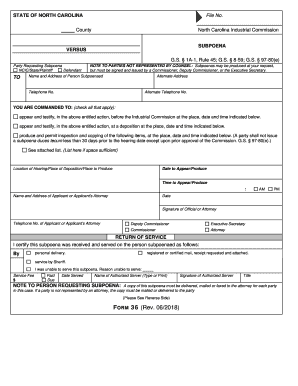
The North Carolina Subpoena Form is a legal document used by parties in a court case to command a witness to testify or produce documents.
pdfFiller scores top ratings on review platforms




I was sort of afraid to install and pay for this online. There is so much identity theft out there.. I was just a victim of fraud on my bank account. But this seem pretty secure and was easy to get going.
It take some time getting use to, but appears to be a good program.
Who needs NC AOC-G-100?
Explore how professionals across industries use pdfFiller.

NC AOC-G-100 is needed by:
-
Attorneys representing clients in court hearings.
-
Witnesses required to testify in legal matters.
-
Individuals involved in legal proceedings needing document production.
-
Court clerks handling legal documentation.
-
Judges and magistrates issuing subpoenas.
-
Authorized servers delivering legal documents.
Comprehensive Guide to NC AOC-G-100
What is the North Carolina Subpoena Form?
The North Carolina Subpoena Form is a vital legal document with significant standing in North Carolina's judicial system. It serves the essential purpose of commanding an individual to testify or produce specific documents in a legal proceeding. This form can play a crucial role in gathering evidence and ensuring compliance during court cases or depositions.
Purpose and Benefits of the North Carolina Subpoena Form
The primary reasons for utilizing the North Carolina Subpoena Form include legal compliance and the effective collection of evidence. By using this form, parties involved in legal proceedings can ensure that they adhere to the laws of the state, which facilitates a smoother legal process. The advantages of implementing this form are numerous, and it allows for efficient gathering of necessary evidence.
Key Features of the North Carolina Subpoena Form
-
Essential components include details such as name, address, and the date to appear.
-
The form mandates a signature section, confirming the issuance by an authorized individual.
-
It also outlines the responsibilities of the authorized server tasked with delivering the subpoena.
Eligibility Criteria for Using the North Carolina Subpoena Form
In accordance with North Carolina law, only certain individuals or entities are permitted to issue or receive a subpoena. The roles of the applicant and the authorized server are critical in this process. Additionally, the submission requires valid signatures from either the applicant or their attorney to be considered legitimate.
How to Fill Out the North Carolina Subpoena Form Online (Step-by-Step)
-
Access the North Carolina Subpoena Form using an online platform.
-
Input relevant information, starting with the name and address of the person being subpoenaed.
-
Fill in the designated date and time for appearance or document production.
-
Sign the form digitally or ensure it is signed by the authorized server.
The convenience of completing this form online enhances accuracy and security, ensuring that all critical information is protected.
Review and Validation Checklist for the North Carolina Subpoena Form
-
Double-check all entered dates and personal information.
-
Ensure that all required signatures are in place, including those of the applicant and authorized server.
-
Review for any incomplete or missing fields to avoid common errors.
How to Sign and Submit the North Carolina Subpoena Form
When signing the North Carolina Subpoena Form, it’s essential to understand the requirements for both digital and wet signatures. Once the form is complete, it can be submitted through various methods: in-person at the courthouse, via mail, or electronically when permissible. It’s also important to be aware of any applicable fees and to handle sensitive data cautiously during the submission process.
What Happens After You Submit the North Carolina Subpoena Form?
After submission, there is typically a processing timeline that varies by court. Monitoring the status of your submission is crucial, and applicants should be aware of common reasons that could lead to a rejection, such as missing information or improper signatures. Being vigilant during this process can help address issues efficiently.
Additional Resources for the North Carolina Subpoena Form
For further assistance, it’s beneficial to reference related forms or documents that may be required alongside the subpoena. Consulting the official state court website or other legal resources can provide clarity. Additionally, pdfFiller offers tools for creating and managing these documents securely, enhancing the overall experience.
Effortlessly Manage Your North Carolina Subpoena Form with pdfFiller
Utilizing pdfFiller can greatly enhance the process of managing your North Carolina Subpoena Form, offering a seamless and user-friendly experience. The platform’s security features protect sensitive information, making it easy to fill out the form online. This rise in convenience aids applicants in efficiently processing their legal documents.
How to fill out the NC AOC-G-100
-
1.Access the North Carolina Subpoena Form on pdfFiller by searching its title in the search bar or navigating through legal forms.
-
2.Open the form and familiarize yourself with its layout. Locate fields for names, addresses, and dates which need to be filled in.
-
3.Before filling out the form, gather necessary details like the recipient's information, court date, and specific documents to be produced or testimony required.
-
4.Begin filling in the form by entering the name and address of the person being subpoenaed in the designated fields.
-
5.Next, input the date and time that the individual is required to appear or produce documents, ensuring accuracy to avoid conflicts.
-
6.Complete the signature line at the bottom. This must be signed by the applicant or their attorney.
-
7.After all fields are filled, review the form thoroughly. Check for any missing information or errors before finalizing it.
-
8.Once satisfied with the provided information, save your progress. Use the 'Save' feature on pdfFiller to store your form.
-
9.To download or submit the form, navigate to the 'Download' or 'Submit' options, choosing the method that fits your needs, such as email or printing.

Who is eligible to use the North Carolina Subpoena Form?
The North Carolina Subpoena Form can be used by attorneys, parties in a legal case, and authorized individuals such as court clerks or judges.
What documents are required when submitting this form?
When submitting the North Carolina Subpoena Form, you may need to provide identification and a copy of the court order or case reference to support the request.
How do I submit the form after filling it out?
After completing the North Carolina Subpoena Form on pdfFiller, you can submit it electronically, print it for manual delivery, or email it directly to the concerned parties.
What mistakes should I avoid when completing this form?
Ensure that all entries are accurate, especially names and dates. Avoid leaving blank fields that are required, and double-check your signature before submission.
Is notarization required for the North Carolina Subpoena Form?
No, notarization is not required for the North Carolina Subpoena Form, making the process simpler for applicants.
What is the processing time for this form?
Processing time may vary based on the court's schedule and administrative workload, so it’s best to check with the local court for estimated timelines.
How can I obtain a copy of the completed subpoena?
You can obtain a copy of the completed subpoena by using the download feature on pdfFiller, or by printing it directly after finalizing the document.
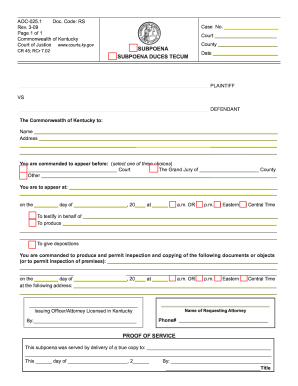
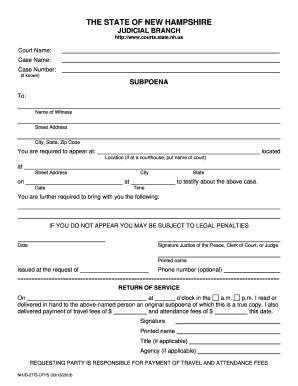
NC AOC-G-100 Form Versions
Related Content
Related Forms





Get the latest insights from our blog


If you believe that this page should be taken down, please follow our DMCA take down process
here
.
This form may include fields for payment information. Data entered in these fields is not covered by PCI DSS compliance.